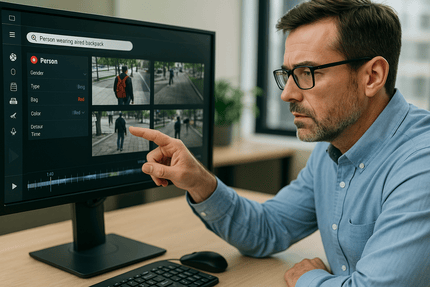
If you have ever scrubbed through hours of video to find a single moment, you know why better search matters. The good news is that today’s video management systems do more than time and camera filters. With natural-language search and attribute search, investigators can ask for what they need in plain English and narrow results by specific visual traits. The result is faster case resolution, fewer staff hours, and better use of the footage you already collect.
This guide explains how these capabilities work, where they shine, and how to deploy them as part of government facility security systems, public building surveillance, and even alongside secure access control for city buildings.
k
k
What is natural-language search
Natural-language search lets you type a question such as “Show me clips of a red pickup near the south lot yesterday after 7 pm” or “Find a person with a blue backpack entering through the west doors.” The VMS parses your request, maps it to metadata classes, and returns matching clips sorted by confidence and time.
Why it helps
-
Nontechnical users can search without complex filter menus
-
Investigators can jump straight to likely evidence instead of skimming timelines
-
Multiple conditions can be layered in one sentence
k
k
What is attribute search
Attribute search filters video by structured metadata extracted by AI analytics. Common attributes include:
-
Person: clothing color, bag, hat, direction of travel, time in scene
-
Vehicle: type, color, make style, license plate region, direction
-
Scene: line crossing, loitering duration, object left behind, crowd size
You can combine attributes with time and location to narrow results in seconds.
k
k
Real use cases that save hours
Faster slip and fall reviews
Query “person falls near lobby atrium between 8 am and noon” or filter by “people on floor” events. Export only the relevant clips for claims teams.
Parking lot investigations
Search “red sedan exit gate after 10 pm” or apply vehicle type and color filters. If your system has plate recognition, add the partial plate you heard on the radio.
Door prop and tailgating
Pair access control events with VMS search. Start with the door prop alert, then run attribute search for two people entering on one credential within 10 seconds.
Item left behind
Use object-left analytics plus a natural-language prompt such as “bag left in lobby for more than 5 minutes” to speed security sweeps.
k
k
How it works behind the scenes
-
Analytics generate metadata
Cameras or edge gateways detect people, vehicles, and behaviors, then tag frames with attributes. -
The VMS indexes events
Metadata is written to a searchable database alongside thumbnails and timecodes. -
Search translates your intent
Natural-language models map words like “red truck” or “after hours” into the right filters and time ranges. -
Results rank by confidence
Clips are sorted by how well they match your request and by proximity to the cameras or doors you specified.
k
k
Deployment checklist
-
Choose where analytics run
Edge analytics reduce bandwidth. Server or cloud analytics centralize processing. Many programs use a hybrid approach. -
Standardize camera views
Consistent angles and lighting improve detection. Verify night performance and adjust IR and exposure. -
Label your locations
Use human-readable camera names and zones such as “City Hall West Lobby” or “Water Plant Gate 2” so prompts are intuitive. -
Integrate access control
Send door events and alarms to the VMS. Searching “forced entry at Records Room” should open the right camera and time window. -
Tune retention and cost
Keep full metadata online for quick search while tiering older video to lower cost storage. -
Set permissions and audit
Limit who can run face or plate searches. Log every query and export to support policy and records requests.
k
k
Training your team for better results
-
Teach plain-English prompts that mirror daily tasks
-
Provide a cheat sheet of common attributes and camera names
-
Encourage investigators to start broad, then add attributes to refine
-
Review monthly search logs to spot patterns and add saved queries
k
k
Privacy, transparency, and compliance
Powerful search does not have to erode public trust. Pair technology with policy.
-
Post clear signage that video monitoring is in use
-
Use role-based permissions and enable redaction for exports
-
Define retention periods by zone risk and legal requirements
-
Keep an audit trail for all searches and shares
These steps align advanced analytics with accountability expectations for public and private organizations.
k
k
Measuring success
Track a few simple metrics to prove value:
-
Average time-to-evidence for top incident types
-
Number of manual review hours avoided per case
-
Percentage of cases with video artifacts attached
-
Query success rate and common saved searches
Leaders care about outcomes. Show how better search speeds resolution and reduces cost.
k
k
The bottom line
Natural-language and attribute search transform a VMS from a passive archive into an active investigation tool. With the right analytics, naming standards, and governance, your team can find what matters in minutes, not hours. Whether your environment is a campus, hospital, distribution center, or city complex, the path is the same. Capture clean metadata, integrate access events, and teach staff to search the way they speak.
k
k
Ready to make your video evidence searchable
See how SSP designs search-forward video platforms that integrate with access control and incident workflows. Contact us for a walkthrough and a roadmap tailored to your sites.