Holiday concerts wind down, travel picks up, and your campus grows quiet. An empty private school can be peaceful, but it is also more vulnerable. Fewer people on site means slower detection of problems and fewer hands to respond. The good news is that a clear plan using access control, video surveillance, and emergency alerts can keep safety systems online and give leaders confidence while everyone is away.
This guide gives private school administrators a practical checklist to secure the perimeter, maintain visibility, route alerts to the right people, and return in January without surprises.
j
j
Goals for a quiet campus
-
Keep the perimeter secure while supporting any approved activity
-
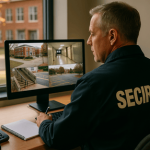
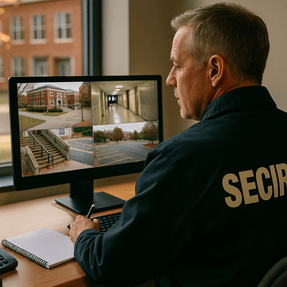
Maintain visibility on primary entrances, parking approaches, and interior corridors
-
Ensure critical alerts reach the correct on call staff with simple next steps
-
Confirm that safety devices remain powered, connected, and healthy
-
Document activity so leadership can review quickly when school resumes
j
j
Two week timeline for holiday readiness
Two weeks before break
-
Walk the perimeter entries and interior fire doors. Confirm closers and latches work and that doors do not stick in cold weather.
-
Review door schedules. Keep academic wings closed and set lobby only routes for any planned events or rentals.
-
Check camera views at main entries, lobbies, stairwells, loading areas, and parking approaches. Adjust night settings and clean lenses.
-
Test mobile panic alerts and verify routing to the on call team. Include zone based notifications for athletics, auditorium, and lobby.
-
Verify backup power. Confirm battery status for controllers, card readers, and cameras. Check generator auto start and run time.
-
Confirm LTE or secondary internet paths for video and alerts. Document who gets notified if primary service fails.
One week before break
-
Issue any time limited credentials for approved workers or deliveries. Set automatic expiration.
-
Run a system health report. Look for offline cameras, low batteries, storage issues, or firmware that needs an update.
-
Verify visitor management. Enable pre registration for any contractors, require ID scan, and print badges with role and expiration time.
-
Update contact lists. Confirm on call rotation, escalation order, and preferred channels for alerts and voice calls.
-
Post clear signage at closed entries and publish a single after hours number for assistance.
Last day on campus
-
Activate holiday door schedules and confirm they took effect.
-
Set cameras to record on motion in low traffic areas and continuous at exterior anchors.
-
Arm intrusion zones that will be unoccupied. Exclude known maintenance windows to prevent false alarms.
-
Place a quick start card at reception and security desks with on call contacts and simple steps.
-
Take and save a system snapshot. Export door schedules, user lists, and a camera health report to your secure drive.
j
j
Access control settings that prevent surprises
-
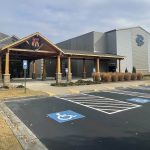
Use time based schedules for perimeter entries and keep academic corridors locked.
-
Apply role based permissions for facilities, security, and any event leads who remain active.
-
Enable door prop and forced door alerts with a short grace period to reduce noise.
-
Turn on anti passback for areas with valuable equipment if your platform supports it.
-
Audit recent changes. Remove credentials for seasonal staff and revoke any expired vendor access.
j
j
Video surveillance that works when campus is dark
-
Set priority cameras at exterior doors, loading docks, and parking approaches to continuous record.
-
Use motion and analytic bookmarks in low traffic hallways to reduce storage and speed review.
-
Enable low light or wide dynamic range profiles for dusk and night conditions.
-
Create a holiday watch layout with eight to twelve tiles so on call staff can view key areas from a phone or laptop.
-
Test remote clip export so incidents can be shared quickly with responders or leadership.
j
j
Emergency alerts that still reach the right people
-
Assign mobile panic capability to facilities, security, and any program leads with holiday activity.
-
Use zone based alerts so a lobby incident does not alarm the entire campus.
-
Publish one escalation path. Alert goes to on call staff, then to operations leadership, then to local responders if needed.
-
Prepare plain language templates for weather damage, power outage, water leak, and intrusion.
-
Schedule a five minute alert test for the first business day of break. Record results and fix routing gaps.
j
j
Cold weather and building health
Quiet buildings face unique risks in winter. Focus on the basics.
-
Temperature and water
-
Verify boiler and HVAC schedules for unoccupied mode with safe set points.
-
Confirm freeze and leak sensors report to your alert platform.
-
Walk mechanical spaces and roof access points. Look for slow leaks, open vents, and ice risks.
-
-
Power and batteries
-
Replace aging UPS batteries for network closets and security head ends.
-
Label breaker panels for security loads and place instructions in the quick start card.
-
-
Exterior
-
Check lighting at entries and parking lots. Replace lamps before break.
-
Trim branches near cameras and power lines if permitted.
-
j
j
Deliveries, contractors, and rentals
-
Use pre registration and ID scan for any vendor or rental lead.
-
Issue time limited mobile credentials that open only the lobby and route to the approved space.
-
Require escorts for access to academic wings or high value rooms.
-
Stage package rooms with camera coverage and limited access.
-
Keep a simple sign in and sign out process for keys, radios, or special equipment.
j
j
On call response plan that fits a small team
-
Publish one duty phone and one backup number.
-
Define what requires an immediate site visit and what can be handled remotely.
-
Keep a go bag in the security office with site keys, flashlight, batteries, first aid kit, and laminated campus map.
-
Ask staff to acknowledge alerts inside the platform so the dashboard shows who is responding.
-
Hold a ten minute standup on the second day of break to confirm everything is stable.
j
j
What to review when everyone returns
-
Run a seven or fourteen day activity report for door events, alerts, and camera incidents.
-
Scan for repeated door props or forced door attempts at specific entries.
-
Review one or two camera clips at night to confirm low light settings worked.
-
Deactivate any temporary credentials that did not auto expire.
-
Capture quick lessons learned and add them to next year’s holiday plan.
j
j
How SSP helps private schools during holiday periods
SSP designs and supports integrated school security systems that keep campuses safe when buildings are full and when they are empty. We connect campus access control, emergency alert systems, video surveillance, and visitor management into one clear dashboard. Our team can set holiday schedules, validate system health, and provide on call support so your staff can travel with confidence.
Want a short holiday readiness review
We can map your critical doors and cameras, tune alert routing, and confirm backup power and connectivity before the break.